Browsing "Older Posts"

Browsing Category "graphicdesign"

Mini Business Cards: The Ultimate Design Trend That Rock

By Toon →
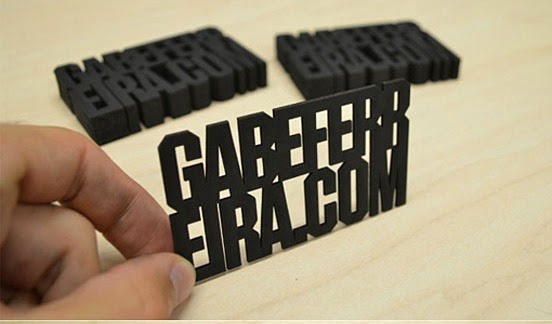
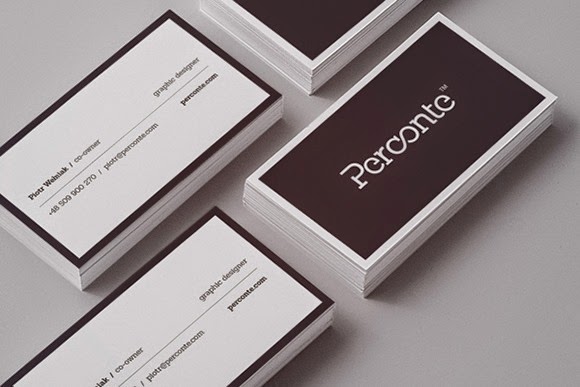
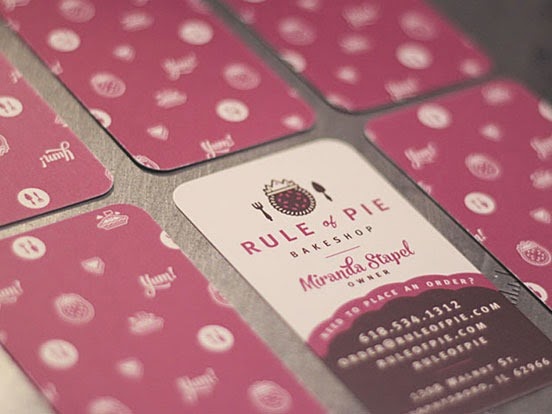
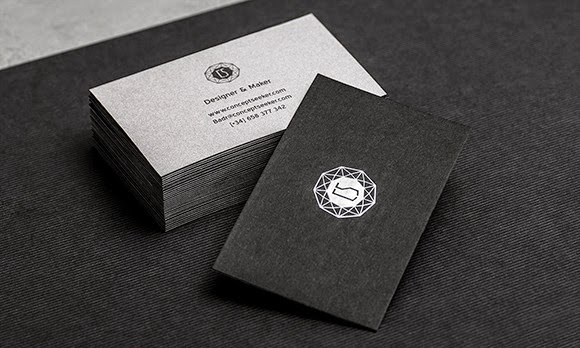
A recent statistics infographic reveals that the four most common types of business cards are: standard rectangular 4-corner, square, recycled and rounded 4-corner. Rule number one when designing a powerful and stylish business card is to make it unique. Mini business cards are a new trend that helps you attract attention to your business and effectively promote your products while helping you to stand out from the crowd.

Business cards with stylish and professional look will be less likely to be thrown into the trash since most people appreciate impressive designs. If you are interested in showcasing your brand and creating a long-lasting impression to your clients and suppliers, check out these high-quality business cards. (The same online provider where I got mine).

A standard 2" x 3.5 " business card is just not enough these days, especially in the design world. That is why mini business cards are highly-popular among graphic designers, photographers and web designers. A creative mind, regardless of profession, will find a myriad of clever ways to reflect a company brand identity on this small piece of paper. Once you decide to go beyond traditional sizing limits, here is what you may consider to design a one-of-a-kind mini business card:

Color Reflects Brand Identity

What can be a misconception about mini-business cards? Information is lost in the small size or worse, the size is so small itĂ­s easily lost -donĂ­t worry. You can enhance other elements like color, which can play an important role in mini business cards overall layout. Sadly, most business cards are forgotten in a matter of seconds, only a few stick in the mind of potential clients and vendors -size plays a relevant role in making them memorable.

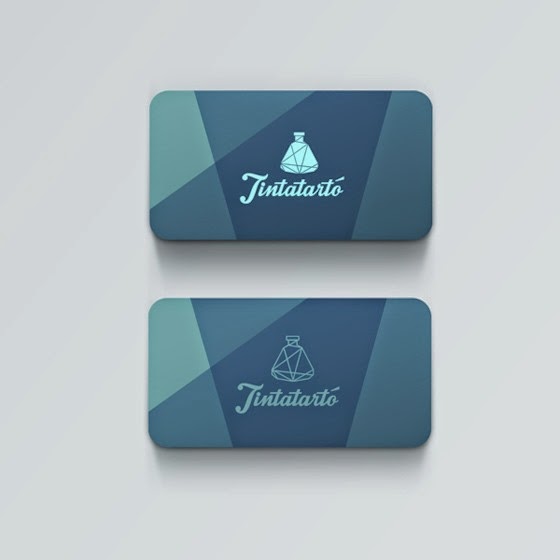
Remarkable business cards do not need to have a palette full of bright colors to stand out, unless a specific design requires it. They can simply have a splash of color like the one in the image.


Image Credit: Natalie Williamson for HoneyApple on Behance http://on.be.net/16u4wWT

Bear in mind that its a good idea to maximize contrast between text and images and against background for better legibility, if you're going for subtle and muted add something else to stand out.
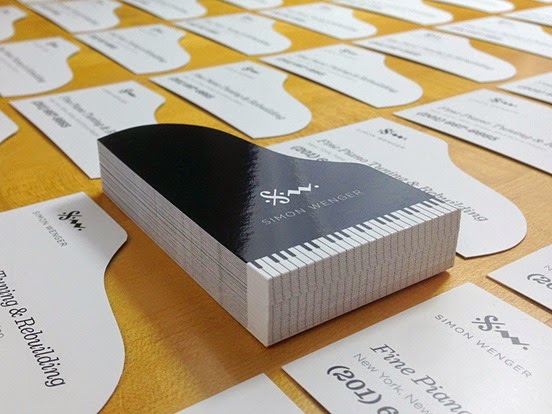
Bonus tip: Choose two fonts to make them easier to read. Try to use the same font types in all your marketing materials- brochures, website, catalogs- to increase brand recognition.

Keep Them Simple and Neat

When it comes to mini business cards, the first thing to consider is that you have a smaller space for your design work, call to action and contact information - which is why you should keep it as simple as possible. You may only choose either your logo o a worthwhile picture on one side and the other with the info. Even though your space is limited, you may need to leave white space to separate all elements in your business cards. White space keeps your advertising materials from being cluttered or confusing. Do not fall into the trap that ® empty space® will be useless space.

Design Business Card Magnets

Mini size business cards are not the only attractive ones; you can design magnet business cards. They can be a highly convenient marketing tool as they are placed in a single place and whenever the business card is needed, it will be surely found. Customers wonĂ­t have to waste time and effort looking for a business card received a long time ago.

If you want to learn more information about custom magnets for advertising or personal purposes, visit my online printing provider - the same guys from before. They have a large catalog and provide impressive results.

Lastly, if you are the kind of person that is constantly looking to stand out from the crowd, design mini business cards or business card magnets. Consider the handy strategies mentioned above not only to promote your business but also to impress clients and suppliers.

Was this article helpful? What else would you keep in mind when designing mini business cards? We appreciate you tell us your experiences in your comments below.

5 Steps to Successful Design Projects

By Toon →
There are many key elements to starting your own design shop or striking out on your own as a freelancer. Projects can be abundant one moment and then lean the next, so protecting your craft as not only a designer but as a businessperson is essential. 
 
5 Steps to Successful Design Projects


Many small outfits don’t have the resources to advertise, so word of mouth and referrals are going to be a huge part of a small business or freelancer’s success. Follow these five simple rules when working with clients and ensure that they leave feeling satisfied with the finished product, so satisfied that they will tell all of their friends about you.

1. Learn some business etiquette: This step might seem like it should be intuitive, however many designers and small business owners in general drop the ball when it comes to prompt and professional service. Often times creative’s are leaving a company that had an infrastructure in place to make sure these things like basic communication doesn’t fall through the cracks, however as a freelancers or business owner you will be solely responsible for returning emails and phone calls in a timely manner. Make sure it happens, download apps or scribble notes all over your most colorful Post-its, but don’t wait until Friday to return a voicemail or email from Monday.

2. Be a good listener: You don’t need to be your clients therapist, but you better be prepared to listen to them. Customer service is important and a client wants to feel like they are being heard. This will not only assure that your client feels like they are being cared for, but also assist you in making a killer product for them, which brings us to our next step.

3. Don’t design something your client didn’t ask for: We know you were the hottest designer in your small town art school, but don’t deliver a product that your client doesn’t want. As creative’s we can sometimes let our ego lead the charge when setting out on design projects, this can be extremely detrimental when presenting to a client, not only will they feel like you ignored their objectives, but it will cost you money and time when going back for large revisions.

4. Manage client expectations: It can sometimes be really terrifying to say no to clients, especially when money is one the line. However it’s better to tell a client something isn’t possible than it is to over promise and under deliver. Honesty is key when it comes to happy clients, if the scope of a project makes you nervous speak candidly with the client about it, even if you have to turn the project away, the client will respect your professionalism and be willing to refer you to their network of peers.

5. Don’t take clients for granted: Don’t hate your clients; no one likes a bitter designer. When you can take a moment and reflect on the fact that you get paid to do something you love it will reflect not only on the quality of your work, but also in how your clients perceive you. As cheesy as it sounds gratitude and good attitude go a long way. People don’t want to work with people they dislike, even if they’re talented. There have been many talented designers and creative’s who have fizzled out because they didn’t have the ability to love their work and appreciate their clients.

Inspirational Business Cards

By Toon →
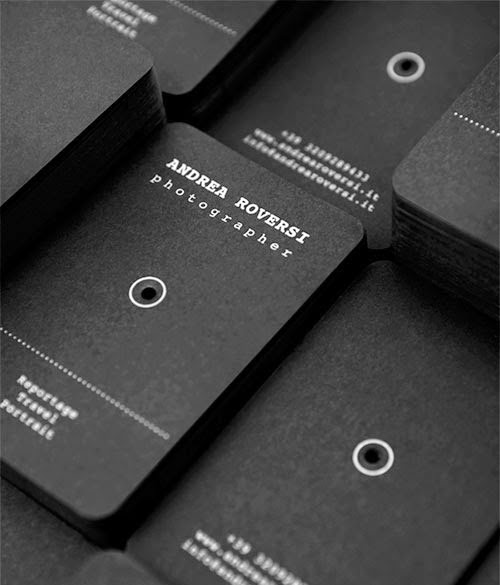
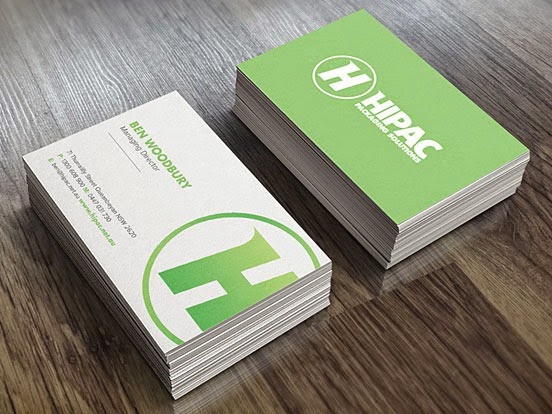
Some really nice business cards for your inspiration.

Inspirational Business Cards

Inspirational Business Cards

Inspirational Business Cards

Inspirational Business Cards

Inspirational Business Cards

Inspirational Business Cards

Inspirational Business Cards

Inspirational Business Cards

Inspirational Business Cards

Inspirational Business Cards

Inspirational Business Cards

Inspirational Business Cards

Inspirational Business Cards

Inspirational Business Cards

Inspirational Business Cards

Inspirational Business Cards

Inspirational Business Cards

Inspirational Business Cards

City of Toronto’s anti-litter campaign

By Toon →
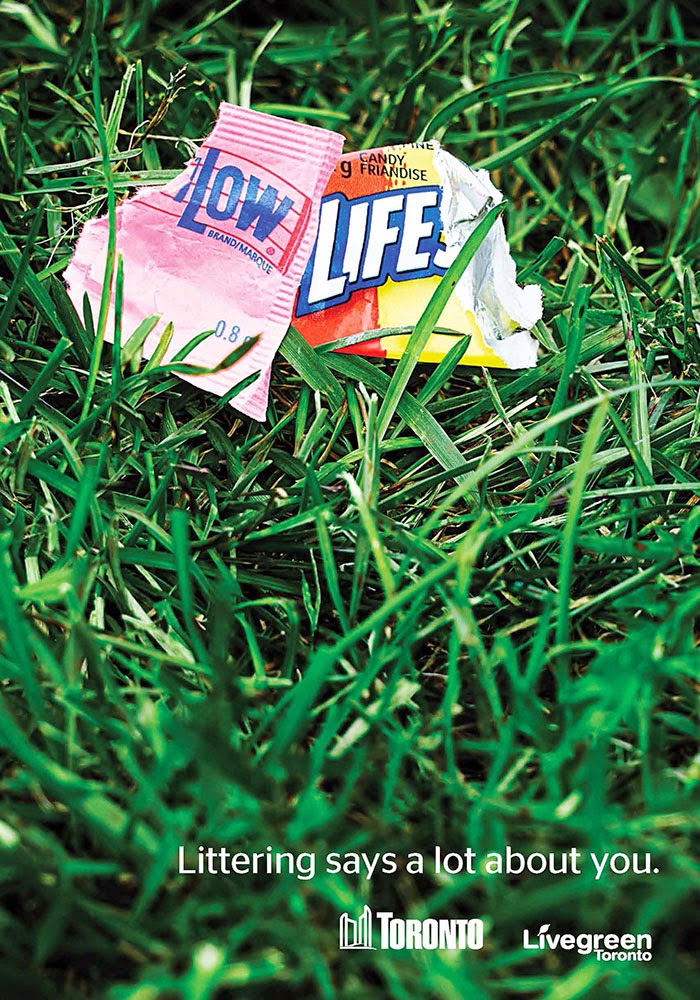
The City of Toronto have a new anti-litter campaign that uses clever images of wrappers blended together to tell the message.

City of Toronto’s anti-litter campaign

City of Toronto’s anti-litter campaign

City of Toronto’s anti-litter campaign

City of Toronto’s anti-litter campaign

City of Toronto’s anti-litter campaign

City of Toronto’s anti-litter campaign

Posters about the principles of design

By Toon →
Posters about the principles of design

Posters about the principles of design

Posters about the principles of design

Posters about the principles of design

Posters about the principles of design

Posters about the principles of design

Posters about the principles of design

What is Graphic Design

By Toon →

Designer and Client Faults

By Toon →
An interesting post over at the Estetica Forum titled: Designer and Client Faults, I thought I'd share it here too.

Designer and Client Faults

CLIENTS


1. FILL THAT WHITE SPACE!
So you as the client pay good money for an A3 double page spread. The last thing you want is the designer skimping on actual design work. What you get in return is a small heading with body copy and three quarters of white space left. This usually leads to the designer being asked to fill every space on the white paper with ads, call to actions, the company logo, pictures, infographics, contact details, social media icons, etc.

Solution:
The expression ‘Less is more’ applies here. It’s quite possible the reason for the white space in the first place was for the message to have more impact. There isn’t (and shouldn’t be) any pressure to fill the whole page. Most of the time you’ll find that the design with a very simple message is more effective than the one crowded with too much detail.


2. HERE’S ONE I TOOK EARLIER

Graphic design is the creative process of communicating a message through the use of image and text. It’s no secret that the perfect image is key to making a design work. In some cases where the supporting text is minimal it’s make or break. But in this tough economy you want to keep costs as low as possible. So you supply an image that you took yourself. Problem solved right? Well unless your other job is a professional photographer then no.

Solution:
The harsh truth is that you are not a photographer. It’s quite understandable that you want to keep costs to a minimum but it comes at the expense of having your design look unprofessional. Royalty free images have proven to be very successful and is the answer here. The wide range of choices also help the designer have more freedom to work rather than the restrictions imposed by a supplied image.


3. WE’LL SEND THE REST TOMORROW

You need something designing but all you have at the moment is a few lines of text that briefly outlines what you want. You still haven’t decided what images you want in there and the messaging hasn’t been confirmed yet. Unfortunately you need it by the end of the week so this will have to do for now. So you hit send and hope for the best.

Solution:
There may be quite a few issues that are playing a part in the delay here. Images that haven’t been commissioned yet may still need supplying. Perhaps you are taking over someone else’s workload and aren’t fully up to speed. However being unorganised isn’t good practice for a successful business. Make sure you contact the studio only after you know exactly what you want. It’s the same kind of organisation you would expect from the design studio (Would you want them to send you half a logo?). Therefore it is essential to make sure the level of professionalism goes both ways.


4. CLASH OF THE PANTONES

A really important decision in design is what colour to choose. In most cases there are two colours (primary and secondary) However you want the design to look “bright” and “vibrant” so your choices aren’t exactly the best. Unfortunately bright pink and lime green just don’t mix.

Solutions
: It’s best to have some knowledge of colour theory. There are some colours that just don’t go well together whilst other colours can have a completely different meaning to the message being conveyed. A quick solution to this situation is to visit sites like Kuler (https://kuler.adobe....ate/color-wheel) or Colour Scheme Designer (Paletton - The Color Scheme Designer) to help you pick out the right colour.


5. THE BIGGER THEY ARE THE HARDER THEY FAIL

You have the perfect design but it’s too small. What if the customers can’t read this from a distance? It needs to be bigger.

Solution: First of all unless it’s large format print (signs, bus backs etc.) the customer probably won’t be reading a leaflet from a distance. Having really large elements can affect the overall look of the final design. It not only compromises it but also patronizes the viewer. Most clients feel that by not making their title or logo bigger it would mean that customers might miss out on what the main message is or whom it’s from. This is nothing more than a myth. Customers are a lot smarter than you think.


DESIGNERS


1. I DON’T GET IT…

Designers have this mentality where they skim and scan through a brief, pick out the keywords and get straight to work. Within hours they have created their work and sent it out on proof. Job well done, bring on the next- oh wait, what’s this? The client came back with a huge list of changes? What did I do wrong?

Solution:
The problem here is the supposed precognitive ability that designers think they have. You think you’ve read this kind of brief before and so the rest of it isn’t important. In doing this you ignore important details such as tone, target audience, specifications etc. In some cases you have read the brief but have misinterpreted it. It’s advised to ask as many questions as you can. Remember that ‘He who asks is a fool for 5 minutes, but he who never asks is a fool forever’


2. RGB > CMYK

There is nothing worse than having something look beautiful on-screen but looking completely different on paper. This is always down to the type of colour model that it is. RGB is always used for on-screen whilst CMYK is for print.

Solution:
It’s always worth checking this before sending it to print. The best way to do this in Indesign is to go to File > Preflight which gives you an overview of everything from missing links to RGB images.


3. NON-DESTRUCTIVE WORKFLOW

Clients can be indecisive. There will always be a situation where the client feels that a previous version you did actually works better than the new one. Unfortunately you saved over that old version and there’s no way to get it back.

Solution:
The solution is a simple one. Make sure you save versions of the same artwork elsewhere. It’s worth doing this when a big change is asked of you. Also try to work in a non-destructive workflow. This means that you should set your work out in a way that should be easier for you to access and track back should you need to i.e. duplicate layers, use masks instead of eraser, create new layers.


4. GET YOUR PRIORITIES STRAIGHT

Sometimes there is a lot of text that needs adding to a page. There may not be a way around this and the client can’t edit any of it as it’s all important. So you go about designing it in the only way you know how. You make everything as small as possible.

Solution:
This is a difficult situation to be in. There are times where a client can edit their copy to help make space for your design so if this is an option then by all means use this to your advantage. If not then you need to start prioritising your message. What part is the most important? Is it the most visible? It’s possible that you may have to sacrifice good design to achieve this. As a general rule never have body copy smaller than 8pt.


5. WHAT’S YOUR TYPE?

Everyone has been in a situation where they get really invested in their work. So much so that they have more than one option. In doing this you feel like some fonts work well in the first version. But the second version has a more appropriate font. Why not use them all?

Solution
: Good designers have this unwritten rule where they restrain form using more than 2 fonts. Sometimes the main headline requires a very decorative font. Make that your primary font. This font doesn’t necessarily have to carry over into the main body copy so for that a more legible font can be used.

If Life With Clients Were Like Game of Thrones…

By Toon →

Classic Cars and Their Country of Origin

By Toon →
CJ Pony Parts, a Mustang Parts retailer, is constantly looking for fun ways to look at cars, and also at graphic design. Their designers were watching the World Cup one day, and the teams playing were Germany against the United States. Germany was clearly the better team, but the designers started talking about who would win in the battle of cars if they matched Germany’s most iconic with America’s.

After seeing visions of Mustangs and Beetles on driving around on a soccer field, someone suggested they would have to be painted to represent their country. And so, the idea was born.

CJ Pony Parts has re-imagined what ten classic cars would look like if they were painted to look like the flag of their own country. Check out the full poster series here.


Classic Cars and Their Country of Origin

Classic Cars and Their Country of Origin

Classic Cars and Their Country of Origin

Classic Cars and Their Country of Origin

Classic Cars and Their Country of Origin

Classic Cars and Their Country of Origin

Breaking Bad Poster

By Toon →
Forum member BryanBarnard has been working on a Breaking Bad Poster and is looking for critique on how it's going. Any pointers from the blog readers?

Breaking Bad Poster

12 World Cup stadiums in Brazil

By Toon →
André Chiote is an illustrator that has designed some posters featuring 12 World Cup stadiums in Brazil

12 World Cup stadiums in Brazil
 
12 World Cup stadiums in Brazil

12 World Cup stadiums in Brazil

12 World Cup stadiums in Brazil

I WANT TO WORK FOR NIKE - Game Of Thrones House Themed World Cup Kits

By Toon →
I WANT TO WORK FOR NIKE is a new blog made by Spanish designer Nerea Palacios that showcases some Game Of Thrones House Themed World Cup Kits

I WANT TO WORK FOR NIKE - Game Of Thrones House Themed World Cup Kits
 
I WANT TO WORK FOR NIKE - Game Of Thrones House Themed World Cup Kits

I WANT TO WORK FOR NIKE - Game Of Thrones House Themed World Cup Kits

I WANT TO WORK FOR NIKE - Game Of Thrones House Themed World Cup Kits

I WANT TO WORK FOR NIKE - Game Of Thrones House Themed World Cup Kits

I WANT TO WORK FOR NIKE - Game Of Thrones House Themed World Cup Kits